
This one-time jumper move inside the Lemon 3-zone ride makes the Ride 2 cable carry bow and bell. It takes about 10 minutes, needs no soldering, and is reversible. You need it in one of two cases:
- Your module's page says “Ride needs a rewire”: the module reads all three zones (bow, bell and edge) only after the rewire. Do it, then plug both cables where that page says.
- Your module has a single ride input and you want the bell: it reads two zones. Out of the box the Ride 1 cable gives you bow and edge, with nothing to open. After the rewire, Ride 2 gives you bow and bell instead. Check your module's page first: some modules have no ride-bell sound to play, and on those this gains you nothing.
Neither applies? You don't need this guide: use the cymbal as it ships, as your module's page describes.
Steps
- Unplug both cables from the underside of the cymbal.
- Flip the cymbal upside-down on a soft surface so the back panel faces you.
-
Unscrew the back panel covering the jack assembly — it's the molded cover marked Ride 1 / Ride 2.
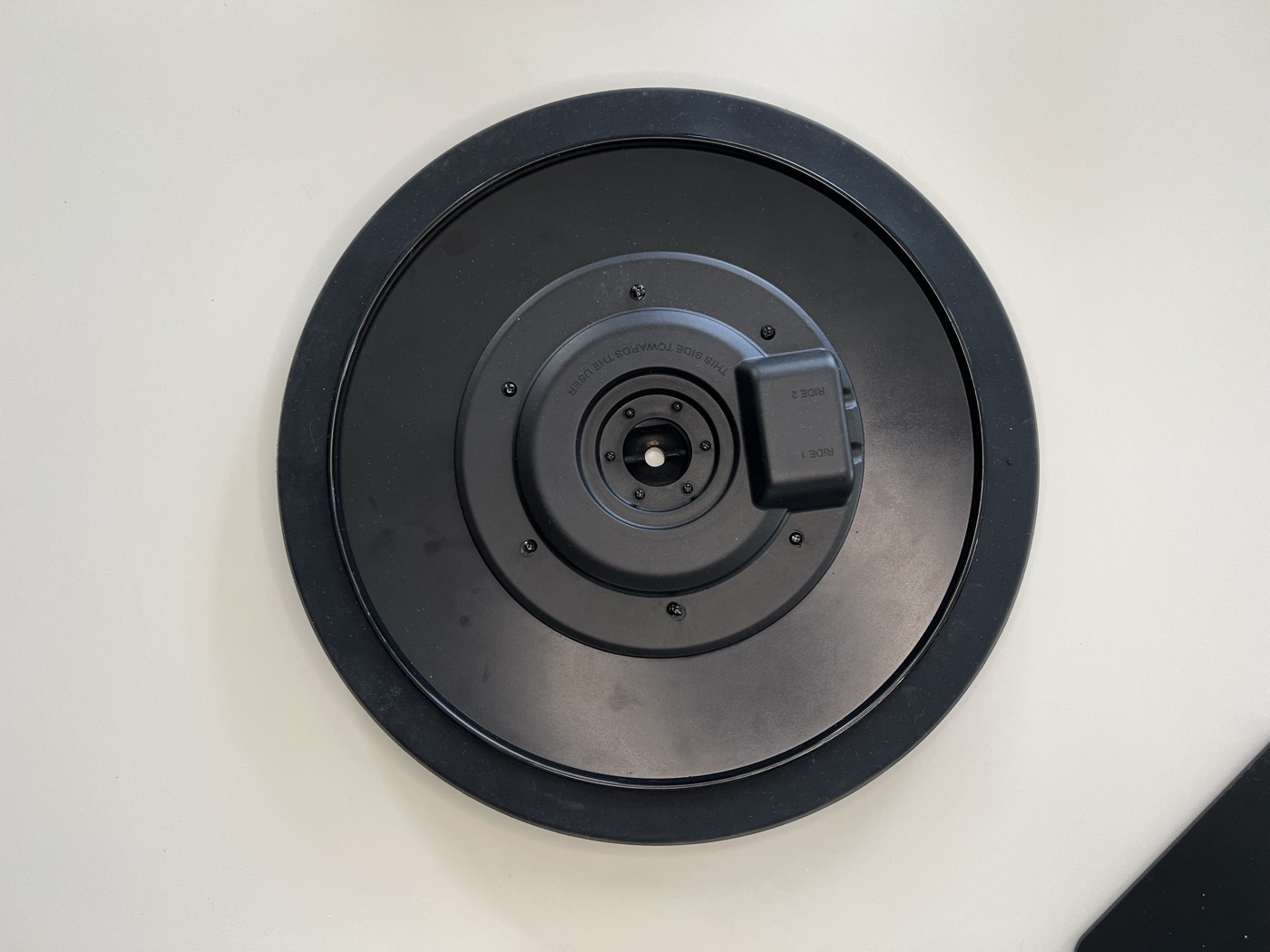
The molded Ride 1 / Ride 2 cover, before you remove it. -
Find the short red/black cable connected to the Ride 1 input pad.
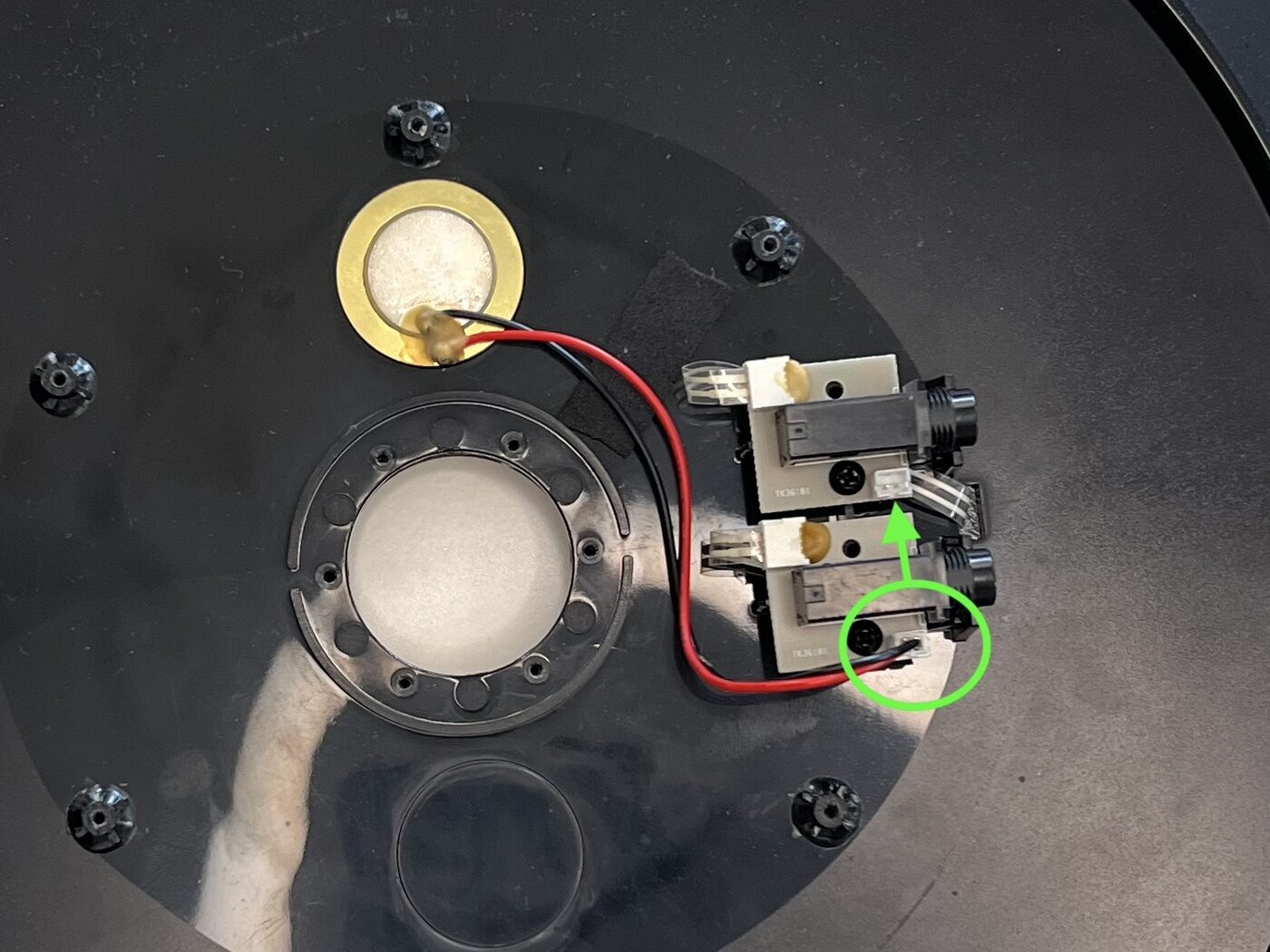
Before — the red/black jumper is plugged into Ride 1. -
Unplug it from Ride 1 and reconnect it to the Ride 2 input pad — the connector is keyed, it only fits one way.
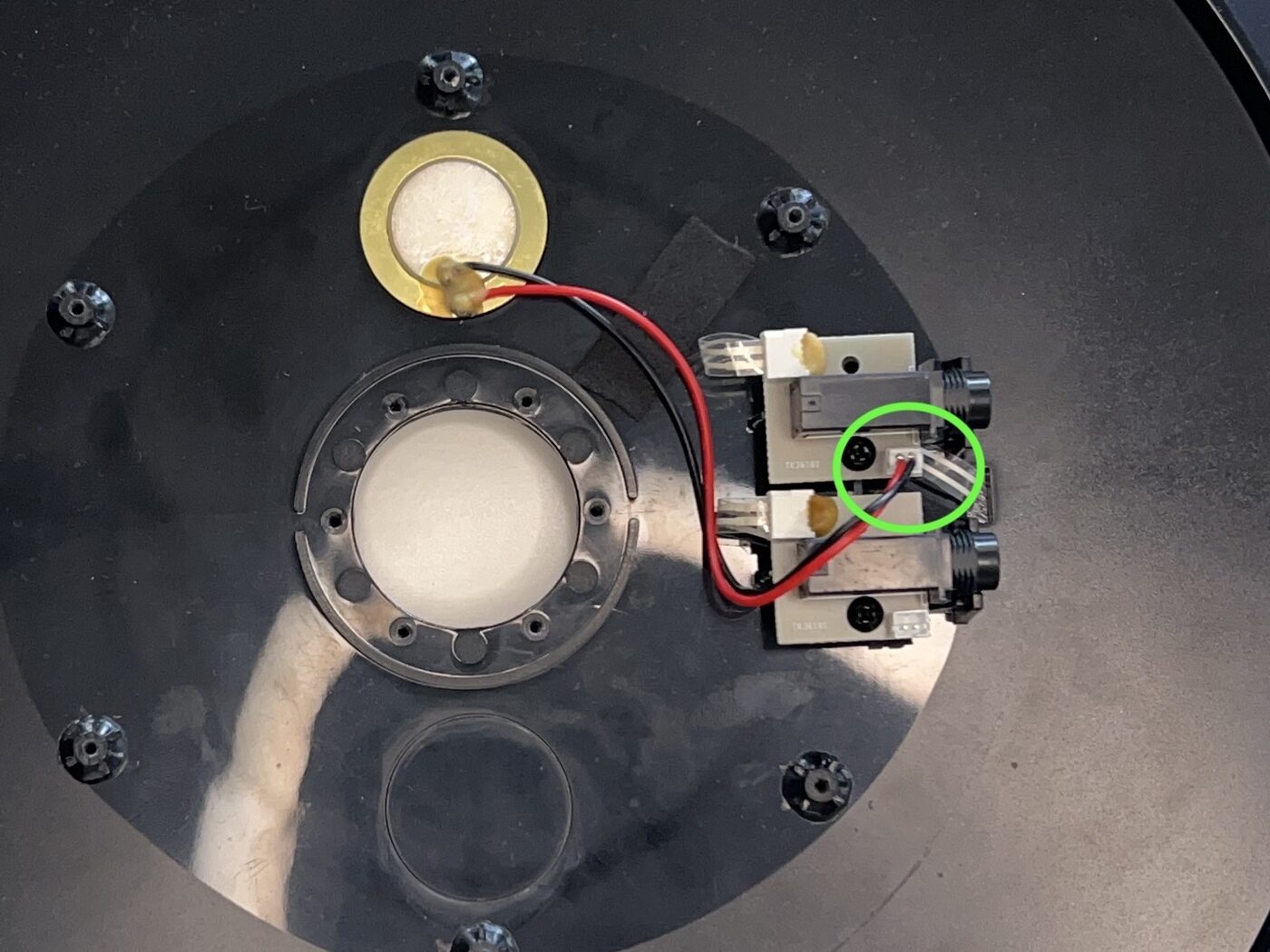
After — the same jumper moved over to Ride 2. - Reattach the back panel.
- Plug a cable from the Ride 2 output to your module's
RIDEjack. Bow strikes should trigger the bow sound; bell strikes the bell sound. If your module's page says “Ride needs a rewire”, also plug Ride 1 into the input that page names, for the edge.


After the rewire
Pick your module's setup guide to assign the ride pad type and route the bell sound: browse module setup guides ›
Then check each zone and fix anything that misbehaves with the ride setup guide ›
To reverse: open the back panel and move the red/black jumper back to the Ride 1 input. No solder, no glue.